
Screenshots

App details
- Version
- 1.8
- Size
- 348.17 KB
- Updated
- March 14, 2018
- Requires
- Windows 8
- Language
- English
- License
- Free
- Developer
- SoonWare Software
- Category
- Windows OS
SoftPas in:
This product is also available in the following languages:
About Win 7 MAC Address Changer
Download Win 7 MAC Address Changer – free MAC changer tool for Windows 7
Overview
Win 7 MAC Address Changer is a lightweight, free utility designed specifically for Windows 7 users who need to modify the Media Access Control (MAC) address of any wired or wireless network adapter. Changing a MAC address can be useful for privacy‑focused networking, troubleshooting connectivity issues, or bypassing MAC‑based access controls in corporate or public environments. The tool’s primary selling point is its “no‑install” nature – you can run the executable directly from a USB stick or download folder, making it ideal for on‑the‑go technicians and hobbyist networkers. While the interface is clean and intuitive, a basic understanding of networking concepts (such as what a MAC address represents and why you might want to randomise it) is still recommended. The software instantly generates a completely random MAC address with one click, and it also stores the original address so you can revert back at any time. This two‑step approach—generate → apply → undo—provides a safety net for users who might be experimenting with different network configurations. Although the program is tailored for Windows 7, it also works on earlier versions like Vista and Windows XP, but it does not support Windows 10 or newer operating systems, a limitation that could affect users who have upgraded their PCs. Overall, Win 7 MAC Address Changer fills a niche for free, portable MAC‑changing software, offering a balance between simplicity and the essential features needed by both novices and seasoned network administrators.
Key Features
- Portable execution: No installation required; run the .exe directly from any folder or removable drive.
- Instant randomisation: Generates a new, fully random MAC address with a single click, reducing the time spent on manual configuration.
- One‑click revert: Stores the original adapter address and allows you to restore it instantly, safeguarding against accidental loss of connectivity.
- Dual‑adapter support: Works with both Ethernet (wired) and Wi‑Fi (wireless) network cards, covering the majority of home and office setups.
- Simple UI: Clean, colour‑coded interface that highlights the current, new, and original MAC addresses for quick visual reference.
- Compatibility list: Officially supports Windows 7, Windows Vista, and Windows XP, with limited testing on Windows 8.
- Secure operation: Does not modify system registry beyond the necessary network adapter settings and cleans up after itself on exit.
- Free of charge: Fully functional without any hidden fees, registration, or trial periods.
Each of these features was crafted with the idea of minimizing friction for users who need to change a MAC address quickly and safely. The portable nature of the software means you can carry it on a USB stick, making it a handy tool for field technicians who often encounter network devices that require a different MAC to gain access. The instant randomisation algorithm follows industry‑standard hexadecimal formatting (six pairs of characters separated by colons or hyphens), ensuring that the generated addresses are syntactically valid. Moreover, the built‑in revert function eliminates the fear of “locking yourself out” of a network, a common concern when altering hardware identifiers. By focusing on a minimalist design, Win 7 MAC Address Changer avoids the bloat and confusing options found in some commercial alternatives, allowing users to complete the task in under a minute. This combination of portability, speed, and safety makes the utility a strong candidate for anyone looking to manage MAC addresses on legacy Windows machines.
Installation & Usage Guide
Downloading the executable
To get started, visit the official download page and click the “Download Now” button. Because the software is free and does not require registration, the download begins immediately. The file size is under 2 MB, making it ideal for slow connections or limited bandwidth environments. Once the download completes, you will have a file named Win7MACChanger.exe.
Running the program
Simply double‑click the .exe file. Windows will prompt a standard User Account Control (UAC) dialog asking for permission to make changes to your device. Click Yes to allow the program to access network adapter settings. Because the application does not write permanent files to the system, it will clean up any temporary data when you close it, leaving no trace on the host PC.
Changing a MAC address
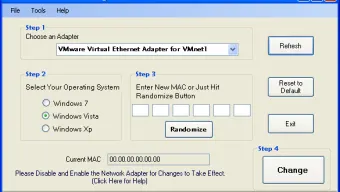
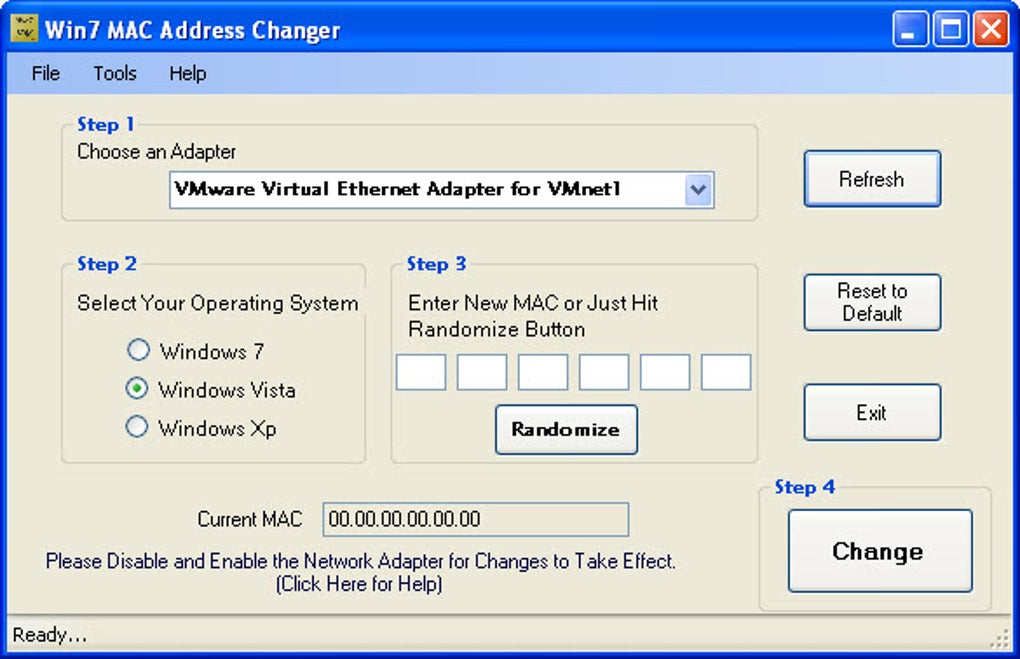
After the UI loads, you will see a drop‑down menu listing all detected network adapters. Select the adapter you wish to modify (for example, “Intel(R) Ethernet Connection I219‑V”). The current MAC address appears in a read‑only field. Click the Generate Random MAC button; a new address will instantly populate the “New MAC” field. Review the address to ensure it meets any policy requirements (some networks forbid certain vendor prefixes). When you are satisfied, press Apply. The tool will temporarily disable the adapter, apply the new address, and re‑enable the adapter, usually within a few seconds. A small status bar confirms the success of the operation.
Reverting to the original address
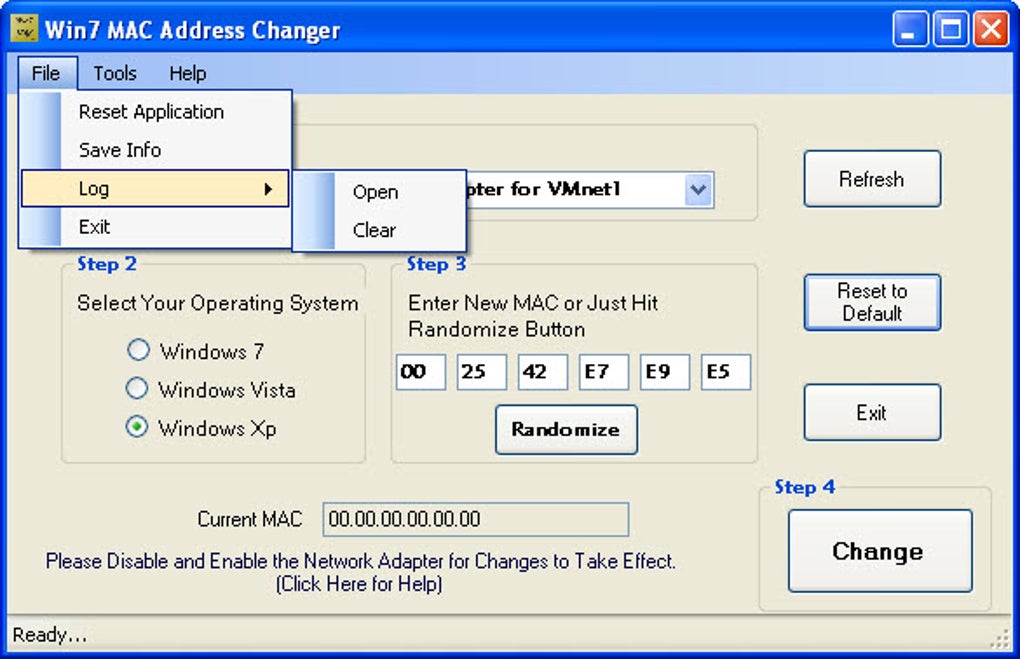
If you need to undo the change, simply click the Restore Original MAC button. The software pulls the saved original address from memory and re‑applies it using the same disable‑apply‑enable cycle. This ensures that you can test new addresses without permanently altering the hardware identifier. For added safety, you can also click Reset All Changes to clear any custom settings before closing the program.
Troubleshooting common issues
Some users report that the new MAC does not persist after a reboot. This behaviour is normal for Windows 7, as the operating system restores the hardware MAC on startup unless you explicitly configure a static address in the registry. To make a MAC change permanent, you can tick the “Persist after reboot” option (available in the settings menu) which writes the new address to the appropriate registry key. If the adapter fails to re‑enable after applying a new MAC, ensure that no other network‑management software (such as third‑party VPN clients) is interfering with adapter settings. Finally, remember that the tool is not compatible with Windows 10; attempting to run it on unsupported OS versions may result in error dialogs or no visible effect.
Compatibility & System Requirements
Win 7 MAC Address Changer has been built to work flawlessly on legacy Windows platforms, specifically:
- Windows 7 (both 32‑bit and 64‑bit editions)
- Windows Vista (SP2 and later)
- Windows XP (Service Pack 3)
- Limited support for Windows 8 (basic functionality only)
The program does not support Windows 10, Windows 11, or any non‑Microsoft operating systems such as macOS, Linux, Android, or iOS. Attempting to run the executable on unsupported platforms will typically result in a compatibility error dialog generated by the OS itself.
Hardware prerequisites
Because the software interacts directly with network adapters, you must have at least one functional Ethernet or Wi‑Fi card installed. The utility works with most mainstream NIC manufacturers, including Intel, Realtek, Broadcom, and Atheros. Virtual adapters created by virtualization software (e.g., VirtualBox or VMware) are also detectable, but altering their MAC addresses may interfere with virtual network configurations.
Administrative rights
Changing a MAC address requires elevated privileges. Users must run the program as an administrator (right‑click → “Run as administrator”) or have an account with full admin rights. The UAC prompt ensures the necessary permissions are granted before the tool accesses the network adapter settings.
Memory and storage footprint
The executable occupies less than 2 MB on disk and consumes under 30 MB of RAM while active. Because it does not install drivers or additional services, the overall system impact is negligible, making it suitable for older machines with limited resources.
Pros, Cons, and Frequently Asked Questions
Pros
- Fully portable – no installation required.
- Instant random MAC generation with a single click.
- One‑click revert to the original address for safety.
- Supports both wired and wireless adapters.
- Free of charge with no hidden fees or trial limitations.
- Lightweight footprint suitable for legacy hardware.
Cons
- Not compatible with Windows 10, Windows 11, or newer OS versions.
- Limited documentation; users need basic networking knowledge.
- No built‑in scheduler for automated MAC changes.
- Persistent changes after reboot require manual registry tweak.
- Interface, while clean, lacks advanced customization options.
Frequently Asked Questions
Can I use Win 7 MAC Address Changer on Windows 10?
No. The current version is built for Windows 7, Vista, and XP. Running it on Windows 10 may result in errors because the underlying network stack has changed. Users on Windows 10 should look for alternative tools that explicitly support the newer OS.
Do I need an internet connection to change my MAC address?
No. The utility works entirely offline. It only interacts with the local network adapter settings, so you can change or revert a MAC address without any network connectivity.
Is the generated MAC address truly random?
Yes. The program uses a built‑in pseudo‑random number generator that follows the standard 48‑bit MAC address format, ensuring each octet is within the valid hexadecimal range. While it is not cryptographically secure, it is sufficient for typical privacy and troubleshooting scenarios.
Will changing my MAC address affect my internet speed?
Generally, no. A MAC address is a layer‑2 identifier and does not influence bandwidth or latency. However, if the new address conflicts with another device on the same network, you may experience temporary connectivity issues until the conflict is resolved.
Can I schedule automatic MAC changes with this tool?
The current version does not include a scheduler. Users who need periodic MAC rotation would need to create a custom script that launches the executable with appropriate command‑line parameters (if available) or use a third‑party automation tool.
Conclusion & Call to Action
Win 7 MAC Address Changer remains a solid, free utility for anyone still operating on legacy Windows 7 or earlier platforms. Its portable nature, instant randomisation, and safe revert functionality make it a handy addition to any network‑engineer’s toolbox, especially when working in environments where MAC‑based access control is still in use. While the lack of Windows 10 support and limited advanced features may deter power users, the core mission—providing a quick, reliable way to change a MAC address without installation—has been executed well. If you are looking for a straightforward, zero‑cost solution to manage MAC addresses on a Windows 7 machine, this tool delivers exactly that.
Ready to give it a try? Click the download button below to obtain the latest version of Win 7 MAC Address Changer, and start experimenting with secure, temporary MAC changes today.
Download Win 7 MAC Address Changer (Free)Guides & Tutorials
How to install Win 7 MAC Address Changer
- Click the Download button above.
- Once redirected, accept the terms and click Install.
- Wait for the Win 7 MAC Address Changer download to finish on your device.
How to use Win 7 MAC Address Changer
This software is primarily used for its core features described above. Open the app after installation to explore its capabilities.
User Reviews
No reviews yet. Be the first to share your experience.
You may also like
more
Llama 2
Free-to-use large language model As the new addition to Meta’s arsenal of langua...

NotebookLM
Revolutionizing the note-taking and idea-generation process NotebookLM is an exp...

Github co pilot
AI-inspired software development and coding platform GitHub Copilot is a browser...

Google Gemma
Google’s lightweight AI models Introducing Google Gemma , a family of cutting-ed...

AI Image Enlarger
A free app for Windows, by ai-image-larger. AI Image Enlarger is a free software...

DALL E
AI-driven text-to-image transformation engine DALL·E is a free graphic and desig...